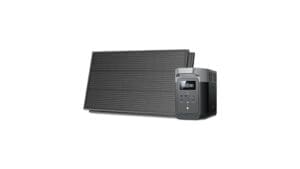
You’ll get a compact 518 Wh, 500 W continuous power station that reliably runs phones, laptops, LED lights and low‑setting CPAPs for several hours while handling brief startup surges to 1,000 W. It supports pass‑through charging, multiple USB/DC ports and built‑in BMS for cell protection and predictable runtimes. The chassis is durable and easy to carry for camping or short outages. Keep going and you’ll find detailed runtimes, charging options and buying tips. jackery portable power station features a user-friendly interface that makes operation simple even for beginners. It also includes multiple safety mechanisms to ensure reliable performance in various conditions. Whether you’re on a camping trip or facing a power outage, this power station is designed to meet your on-the-go energy needs efficiently.
Some Key Takeaways
- 518 Wh capacity with 500 W continuous and 1,000 W peak makes it suitable for small appliances and electronics.
- Built-in BMS protects battery cells and prolongs cycle life for reliable everyday and backup use.
- Ports include one 110V AC outlet, three USB-A, two DC ports, and a car port for versatile charging.
- Compact, lightweight design with ergonomic handle makes it highly portable for camping and RV trips.
- Supports pass-through charging and solar input; runtime predictable by load but limited for heavy appliances.
Jackery Explorer 500 at a Glance: Key Specs and What They Mean
Get a quick, technical snapshot: the Jackery Explorer 500 packs a 518 Wh lithium-ion battery and delivers 110V AC power at 500W continuous (1,000W peak), three USB-A, two DC ports, and a car port—enough to run small appliances, charge multiple devices, and handle brief startup surges. You’ll appreciate clear specs: battery chemistry is lithium-ion with a BMS that protects cells and extends cycles. Port compatibility is broad for common gadgets and solar inputs. You’ll carry and connect confidently; compact size and solid handle make it a communal tool you’ll trust for shared trips and emergency plans. This model is well-suited for those seeking reliable backup power for camping, outdoor activities, or home emergencies.
How the Explorer 500 Performs in Real-World Use (Camping, Road Trips, Home Backup)
When you put the Explorer 500 to work on a camping trip, in an RV, or during a short home outage, it reliably powers essentials within its 518 Wh envelope and 500 W continuous limit; expect to run LED lights, charge phones/tablets, operate a CPAP on low settings for several hours, and briefly handle small appliances that draw startup surges up to 1,000 W. You’ll appreciate quiet performance at night and a compact basketball-sized footprint that eases sharing gear with your group. Runtime aligns predictably with rated capacity; the BMS maintains cell health during frequent use and seasonal storage, making it a dependable communal backup. It pairs well with portable solar panels for extended off-grid use.
Charging, Ports, and Battery Management: What You Can Power and How Long
After seeing how the Explorer 500 handles real-world loads, you’ll want to understand its charging options, port capabilities, and how long specific devices will run. You get one 110V AC outlet (500W continuous, 1,000W peak), three USB‑A, two DC, and a car port—so you’ll power laptops, CPAPs (within watt limits), lights, and charge phones. The 518Wh pack with BMS and pass‑through charging gives predictable appliance runtime; expect several hours for tablets, ~4–6 hours for laptops, shorter for high‑draw devices. Use built‑in battery diagnostics to track health and optimize cycles for community use. This makes the Explorer 500 a solid option for portable power and backup charging needs.
Size, Build, and Portability: Who This Unit Is Best For
Although compact enough to match a basketball in footprint, the Explorer 500 feels robust and purpose-built for mobile use. You’ll appreciate its lightweight profile and solid chassis that resist knocks without feeling fragile. The ergonomic handle lets you move it solo between car, campsite, and kitchen counter; it’s balanced, not awkward. At 518 Wh and one 500W AC outlet, it suits couples, solo adventurers, and small households needing temporary backup. You’ll value predictable weight, durable materials, and simple grip geometry. If you want a dependable, transportable station that integrates with outdoor social routines, this fits. It’s an excellent option for those focused on portable power solutions.
Should You Buy It? Costs, Alternatives, and Buying Tips (Shipping Note)
If you need a mid-range, portable power station that balances capacity, output, and price, the Explorer 500 is a sensible choice. You’ll get 518 Wh, 500W continuous output, and versatile ports in a compact package. For cost comparison, weigh its price against higher-capacity lithium units and cheaper smaller packs; you’re paying for reliability, BMS protection, and pass-through charging. Alternatives include higher-watt models for heavy appliances or lighter units for ultra-portability. Check warranty details and service policy before buying. Note shipping requires a physical address (no PO Boxes). Buy if you want dependable, community-tested portable power. Consider also compatible accessories like open-frame generator adaptors and mounts to optimize installation and use.
Some Questions Answered
Does the Explorer 500 Support Pass-Through Charging While Powering Sensitive Electronics?
Yes — you can use pass through while charging and powering devices, but you should be cautious with sensitive electronics. You’ll benefit from decent inverter efficiency and a stable AC waveform, yet charging latency and transient spikes during input changes can occur. You’ll want to test mission-critical gear first and use line-conditioning or UPS-style protection if you need absolute noise-free power; this keeps you and your devices confidently connected.
Can I Connect It to Solar Panels From Other Brands or Must I Use Jackery Panels?
Yes — you can use third‑party panels if they match the Explorer 500’s input specs. You’ll want MC4 compatibility or an adapter and panels with appropriate voltage/current. Expect reliable MPPT efficiency only if panel Vmp and charge controller range align; mismatches reduce charging speed. You’ll feel confident choosing trusted panel brands, verifying connectors, and confirming the voltage window to preserve battery life and get peak, safe charging performance.
Is the Battery Replaceable or Serviceable After Warranty Expiry?
No, the battery replacement isn’t user-serviceable; you can’t swap cells yourself. You’ll need to contact Jackery for authorized battery replacement or service options after warranty expiry. Evaluate costs versus replacement: authorized service preserves BMS integrity and safety, DIY risks damaging the pack and voids any remaining support. If you want community-backed advice, join user groups to compare service experiences and pooled recommendations before committing to repair or replacement.
What Safety CErtifications (Ul, CE, Etc.) Does the Unit Have?
The unit carries common safety certifications like CE and FCC and typically meets RoHS; Jackery states it passes compliance testing and internal safety checks. You’ll want to confirm UL or ETL listing for your region, since certifications can vary by batch or market. You’ll feel reassured checking the label and product paperwork; if you’re unsure, contact Jackery support for official compliance testing documents and certificate numbers before buying or using the unit.
How Does Extreme Cold or Heat Affect Battery Performance and Storage Lifespan?
Extreme cold reduces available capacity and increases internal resistance, while extreme heat accelerates irreversible cell aging — both shorten storage lifespan. You’ll see cold degradation during discharge and slower charging; heat stresses cells and worsens cycle life. Thermal management mitigates these effects, so you should store and operate near moderate temperatures, avoid prolonged exposure, and use any built-in BMS/thermal systems. That preserves performance and keeps you confident in long-term reliability.